


Shopify Order Edits Fulfillment: How to Avoid Disruptions and Keep Your Warehouse Shipping on Time
Shopify order edits are common but can disrupt warehouse fulfillment if not managed properly. This article is for DTC founders, retail brand marketers, and operations managers who want a clear, operator-grade approach to Shopify order edits fulfillment—without pick errors, late shipments, or inventory drift. Below, find workflows, KPIs, pricing drivers, risks, and insights on why the Atlanta advantage matters.

What Are Shopify Order Edits and When Do They Impact Fulfillment?
Shopify order edits refer to any changes made to a customer’s order after the checkout process has completed. These include adjustments such as changing quantities, swapping SKUs, updating shipping addresses, altering payment methods, or adding/removing line items. These edits are frequent in the direct-to-consumer (DTC) landscape as consumers often rethink their purchases or correct inputs post-checkout.
When do Shopify order edits impact fulfillment?
Edits can occur in two main phases:
- Before fulfillment starts: Early edits have a lower chance of disruption since the fulfillment process hasn’t begun, and systems can sync changes smoothly.
- After fulfillment starts: Edits that occur once the order is in picking, kitting, or packing stages pose a high risk of errors and shipment delays. Changes might not flow properly to the warehouse management system (WMS), causing incorrect items to be picked or shipped.
Common 3PL pain points include:
- Un-synced edits: Shopify edits do not always synchronize immediately or at all with the warehouse system.
- System lags: Delays between edit submission and visibility on fulfillment dashboards cause missed updates.
- Manual overrides: Warehouse teams may need to override system data manually, increasing error potential.
These issues result in pick errors, late shipments, and inventory inaccuracies that negatively impact brand reputation and customer satisfaction.
If edits are not recognized and properly integrated into the warehouse process, operational risks and costs go up significantly—leading to increased labor, restocking, and shipping corrections.
For more on Shopify order editing considerations: https://help.shopify.com/en/manual/fulfillment/managing-orders/editing-orders/considerations

Step-by-Step Shopify Order Edits Fulfillment Workflow
Managing Shopify order edits requires a well-designed, integrated workflow that detects and handles changes in real time. Below is an operator-grade process outline suitable for DTC brands and their 3PLs:
1) Order ingestion
Orders flow into the fulfillment system via API, EDI (such as 940/945 standards), or connected OMS platforms. Each incoming order receives a timestamp and an SLA target to determine shipping deadlines and pick wave grouping.
2) Order lock upon pick start
Once an order is assigned to a picking wave and the first items are picked, the order is locked to prevent inadvertent changes disrupting the process. Any Shopify edits arriving after this point raise an Edit Flag on the order.
3) Edit recognition and exception queuing
Orders flagged as edited post-lock are removed from the active picking wave and routed to a dedicated “Edit Queue.” The system isolates the specific changes: SKU swaps, quantity changes, address updates, or delivery method alterations.
4) Inventory and picking list adjustment
- If SKUs or quantities are altered, the WMS allocates inventory accordingly, updates pick tickets, and adjusts totes or carts for new picks.
- Kitting-related edits trigger updates to the Bill of Materials (BOM) and reroute the order through the kitting cell before final packing.
- For address or shipping method changes without SKU impact, the system updates shipping carrier details and re-rates packages if needed.
5) Real-time floor communication
At the operational level, pickers receive updated pick lists while old tickets are invalidated by scan. Packers see alerts on scanning devices to verify updated line items and packing instructions.
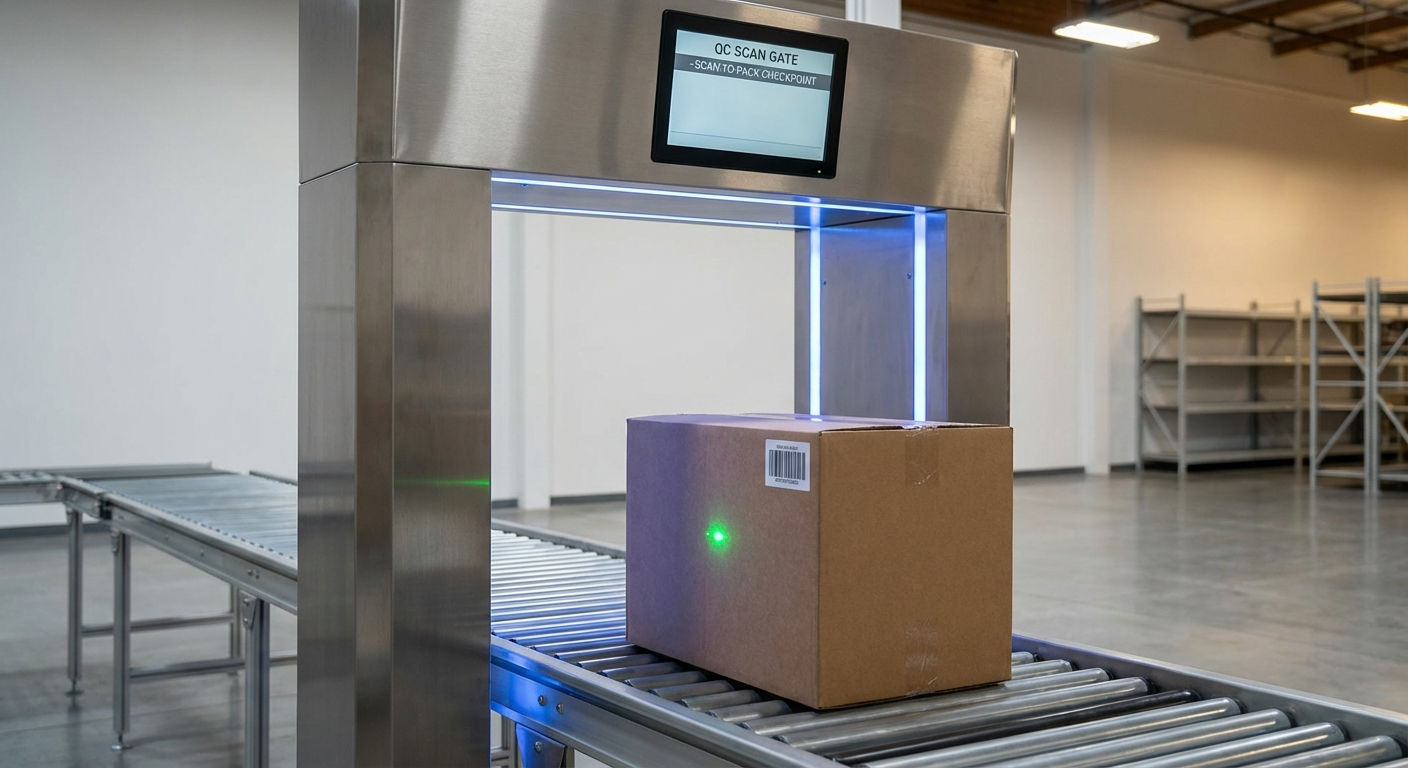
6) Final quality control (QC) scan
Before shipment, a QC scan compares packed contents against the updated WMS order to confirm accuracy in SKU, quantity, and shipping details.
7) Shipping confirmation and post-shipment reconciliation
Shipping notices with tracking information are pushed back to Shopify. Inventory changes resulting from edits are reconciled on the same day. Each edit event is logged for performance monitoring.
Quick SOP Summary (Internal Reference)
- Lock orders at pick start; any edits trigger removal to Edit Queue.
- Split flows by edit type:
- Address-only: Re-label shipments without re-picking.
- SKU/Qty edits: Reprint pick tickets, update picks, implement QC scan.
- Kitting changes: Update BOM and route to kitting station prior to packing.
- Require scan-to-pack verification after edits.
- Same-day inventory reconciliation for all edited orders.
- Track edit recognition time and rework minutes; report weekly for continuous improvement.
Additional operational details may be supplemented by tooling platforms specialized in Shopify order management, such as Extensiv's OMS, for enhanced edit tracking and synchronization: https://help.extensiv.com/om-om/edit-shopify-order-items

KPIs & SLAs to Track for Order Edits Fulfillment
Maintaining strict operational KPIs keeps fulfillment teams aligned and prevents service degradation caused by last-minute edits. Below is a focused KPI table tailored to Shopify order edits.
KPI Table:
Pick Accuracy | Typical SLA: ≥ 99.5% | Why it matters: Reduces costly re-shipments and returns
On-Time Ship Rate | Typical SLA: ≥ 98% | Why it matters: Ensures customers receive orders when expected
Order Cycle Time | Typical SLA: ≤ 24 hours | Why it matters: Keeps delivery schedules despite edits
Dock-to-Stock Time | Typical SLA: ≤ 2 hours | Why it matters: Maintains real-time inventory accuracy
Edit-specific metrics to monitor
- Edit recognition time: Time from Shopify edit submission to WMS detection; target under 5 minutes.
- Order rework rate: Percent of edited orders requiring re-pick or re-pack.
- Exception dwell time: How long edited orders remain in the Edit Queue before resolution.
- Orders touched after lock: Average number of manual interventions post order lock.
Tracking these KPIs helps identify bottlenecks and drives accountability for mitigating edit-related disruptions.
Further reading: https://www.hulkapps.com/blogs/shopify-hub/optimizing-your-shopify-store-how-to-edit-orders-after-theyve-been-placed
Pricing Drivers for Handling Shopify Order Edits
3PL pricing models often include surcharges or variable labor rates for managing order edits. Below are the primary drivers:
- Edit volume per day: The higher the number of post-lock edits, the greater the added labor hours.
- Edit complexity:
- Address-only or shipping method changes: Low complexity, mostly label changes and carrier re-rating.
- SKU or quantity modifications: Moderate to high complexity involving inventory adjustments and re-picking.
- Custom kitting/packout adjustments: Highest complexity due to BOM updates and manual assembly.
- Systems integration quality: APIs or EDI setups that automatically sync Shopify edits drastically reduce manual labor and errors versus manual checks.
- Timing relative to cutoff: Late edits require expedited handling and may incur overtime or priority fees.
- Packaging, inserts, and promotional items: Edits affecting these components add assembly time.
- Order restock and rework: If orders have already been packed, edits can necessitate unpacking, restocking, and repacking.
Labor impact benchmarks
- Edits after fulfillment lock without re-pick: +0.5 to 1.5 additional minutes.
- Edits requiring re-pick/re-pack: +3 to 7 minutes depending on SKU location complexity.
- Kitting or assembly edits: +5 to 12 minutes due to component handling and QC.
For example, at a 5% edit rate post-pick start, expect 1–3 extra labor hours per 1,000 orders processed. Pricing models should transparently reflect these operational realities, prioritizing accuracy and speed over lowest cost.

Risks & Mitigations When Managing Order Edits
Risk/Mitigation Table:
Unrecognized edits causing incorrect shipment | Mitigation: Real-time data sync, order-lock mechanisms, and mandatory QC scans ensure changes are caught before shipping.
Inventory discrepancies from last-minute SKU changes | Mitigation: Immediate WMS updates plus daily inventory reconciliation prevent stock imbalances.
Fulfillment slowdowns during edit spikes | Mitigation: Batch edited orders into exception waves with dedicated staff and clear SOPs to maintain overall cycle time.
Communication breakdown between digital systems and physical operations | Mitigation: Use integrated fulfillment dashboards with targeted alerts to pickers and packers; invalidate old pick tickets.
Shipping errors from carrier or service changes post-edit | Mitigation: Automate re-rating during label creation and stop shipments if parameters change outside allowable tolerances.
Effective collaboration between the Shopify platform, OMS, WMS, and warehouse teams is vital to ensure these mitigations succeed.
Shopify guidance: https://help.shopify.com/en/manual/fulfillment/managing-orders/editing-orders
The Atlanta Advantage for Shopify Order Edits Fulfillment
Strategic location and operational capabilities dramatically affect how well a 3PL can handle last-minute Shopify order edits. All Points leverages its Atlanta facility for superior edit handling:
- Two-day ground shipping to ~80% of the U.S.: Enables late edits with realistic slippage buffers, ensuring on-time delivery even when orders change near cutoff.
- Robust carrier access and extended cutoff times: Supports expedited processing post-edit.
- Flexible and experienced local labor pool: Scales up quickly during edit spikes without compromising accuracy.
- In-house printing and kitting: Centralized packout adjustments allow rapid turnaround on changes requiring rework or assembly. Custom kitting: https://www.allpointsatl.com/services/custom-kitting-product-assembly
- Integrated ecommerce fulfillment operations: Handle exceptions without disrupting normal picking waves. E-commerce fulfillment: https://www.allpointsatl.com/services/e-commerce-order-fulfillment
- Full inventory control and management: Tight processes via warehousing and distribution services reduce risks of stock discrepancies amid frequent SKU edits. Warehousing: https://www.allpointsatl.com/services/warehousing-distribution
This combination of geography, technology, and operational expertise creates a distinct advantage for Shopify brands seeking reliable, adaptable fulfillment.
What You Get With All Points for Shopify Order Edits Fulfillment
From our decades of experience, All Points offers a specialized fulfillment solution designed for Shopify order edit complexity:
- Operator-led workflows: Engineered to catch edits early and reroute orders to minimize errors.
- Real-time EDI 940/945 and API syncing: Ensure all Shopify edits push directly to fulfillment systems without lag.
- Hard order lock at pick start: Protects wave efficiency and accuracy.
- Edit Queue management: Prioritizes and isolates edited orders for focused handling within SLAs.
- Continuous KPI monitoring: Tracks edit recognition times, rework rates, and exceptions to fuel ongoing improvement.
- Full in-house print and custom kitting: Eliminates external handoffs that slow packout changes.
- Atlanta-based, family-owned reliability: Partnered with brands since 1995, All Points understands the operational realities you face.
Partner with All Points for a 3PL solution built to solve Shopify edits without disrupting your customer experience or fulfillment speed.
Call to Action
Talk to an Atlanta 3PL expert: https://www.allpointsatl.com/contact
Get a kitting quote: https://www.allpointsatl.com/services/custom-kitting-product-assembly
Sidebar
- Based in Atlanta since 1995
- Phone: (XXX) XXX-XXXX | Email: contact@allpoints.com
FAQ
Q1: Can Shopify order edits be made after fulfillment begins?
A: Edits can technically be made, but this greatly increases the risk of errors and delays. The best practice is to finalize edits before picking starts. If changes happen post-pick start, orders should trigger an exception process involving order locking, rework, and QC scans to prevent shipment errors.
Q2: How does All Points handle sync issues with Shopify edits?
A: We utilize real-time API and EDI integrations that detect edits immediately. Once picking begins, orders are locked, and any edits flag the order for removal from waves and routing through exception workflows, ensuring manual correction and reducing errors.
Q3: What SLA can I expect with edited orders?
A: Our goal is ≥98% on-time ship rate and ≤24-hour order cycle time, even with significant order edits. When edit volumes spike, dedicated exception waves ensure normal orders stay on schedule.
Q4: Does handling order edits affect pricing?
A: Yes. Pricing depends mainly on the volume of edits, complexity (from address-only to kitting changes), system integration quality, and timing regarding cutoff. Manual re-picks and kitting add labor, which impacts cost.
Q5: What’s the advantage of handling Shopify fulfillment from Atlanta?
A: Atlanta’s strategic location allows two-day ground shipments to about 80% of the U.S., supports later pickup cutoffs, and offers a strong labor pool that flexes with volume and edits — all reducing the risk of late shipments caused by last-minute order changes.
Disclaimer
This article offers operational guidance based on current best practices for Shopify order edits fulfillment. Results may vary depending on warehouse systems, integrations, and workflows used. All Points customizes solutions to your brand’s needs. Please consult with our experts for tailored workflows.
Related Internal Links
Custom kitting and product assembly: https://www.allpointsatl.com/services/custom-kitting-product-assembly
E-commerce order fulfillment solutions: https://www.allpointsatl.com/services/e-commerce-order-fulfillment
Warehousing and distribution services: https://www.allpointsatl.com/services/warehousing-distribution
Additional Resources
Shopify Considerations When Editing Orders: https://help.shopify.com/en/manual/fulfillment/managing-orders/editing-orders/considerations
Extensiv OMS: Edit Shopify Order Items Guide: https://help.extensiv.com/om-om/edit-shopify-order-items
Account Editor Blog: Can Customers Edit Orders on Shopify?: https://www.accounteditor.com/blog/can-customers-edit-orders-on-shopify
Shopify Help: Managing and Editing Orders: https://help.shopify.com/en/manual/fulfillment/managing-orders/editing-orders
HulkApps Blog: How to Edit Orders After Placement: https://www.hulkapps.com/blogs/shopify-hub/optimizing-your-shopify-store-how-to-edit-orders-after-theyve-been-placed
Conclusion
Learn how to manage Shopify order edits without disrupting fulfillment. This guide covers workflows, KPIs, pricing drivers, and risks to prevent errors, delays, and inventory issues. Discover the Atlanta advantage for fast, accurate shipping and expert 3PL solutions tailored to your DTC brand’s needs.

.webp)
.webp)
.webp)
.webp)


